 Beta
BetaThe agent-first developer tool
Every other IDE is an editor with AI bolted on. Redshift is an agent runner with an editor in it.
Optimized for Claude Code
$brew install redshift-io/tap/redshift-hubRequires macOS 26 (Tahoe) or later
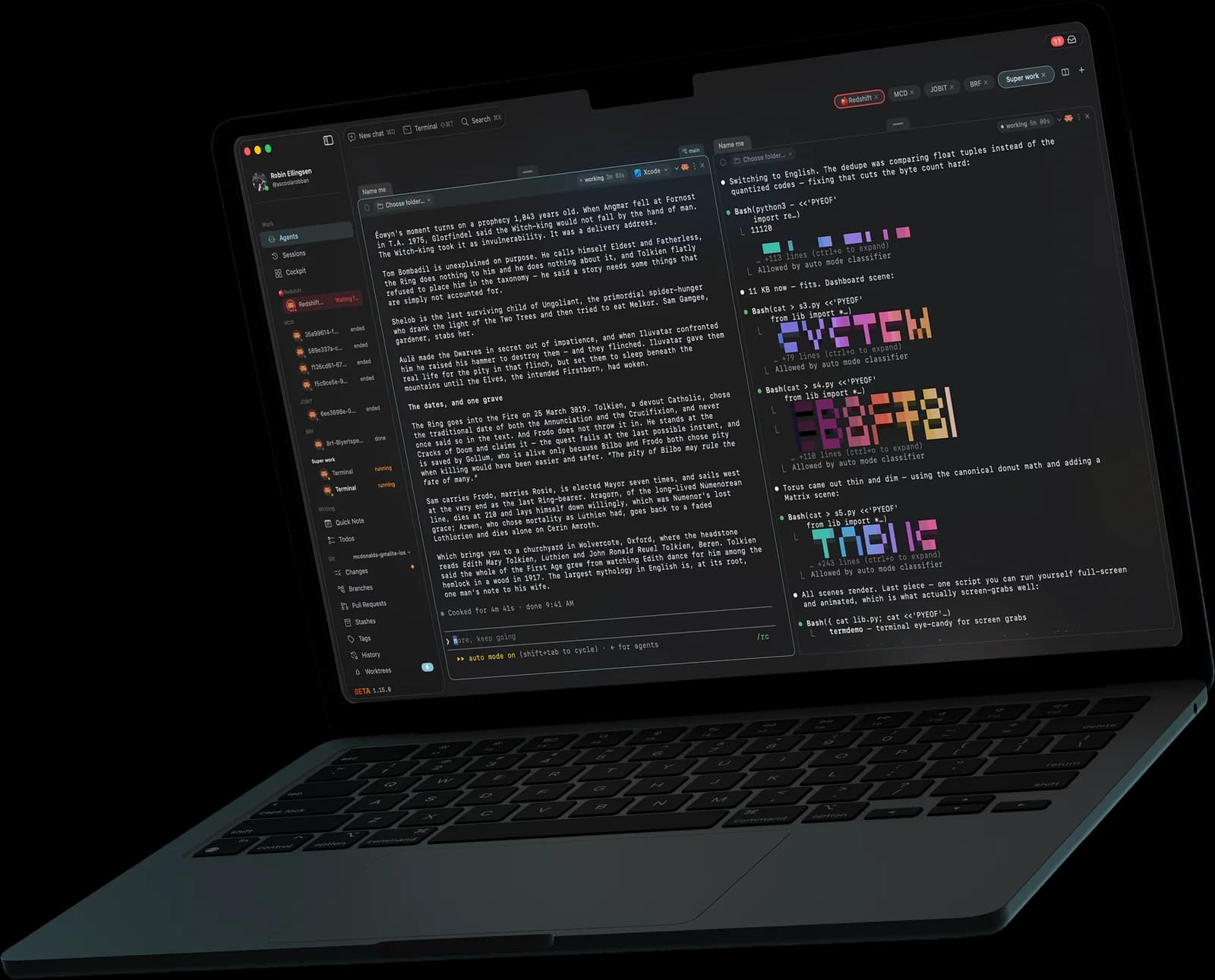
Still juggling a git app, a terminal and a separate agent runner? Why not do it all in one native app?
Built to run
in parallel.
Modern coding means many agents working at once, each in its own worktree, each on its own branch. Redshift Hub keeps them in symbiosis and dead-simple to steer, so nothing ever waits on you and you never lose speed.
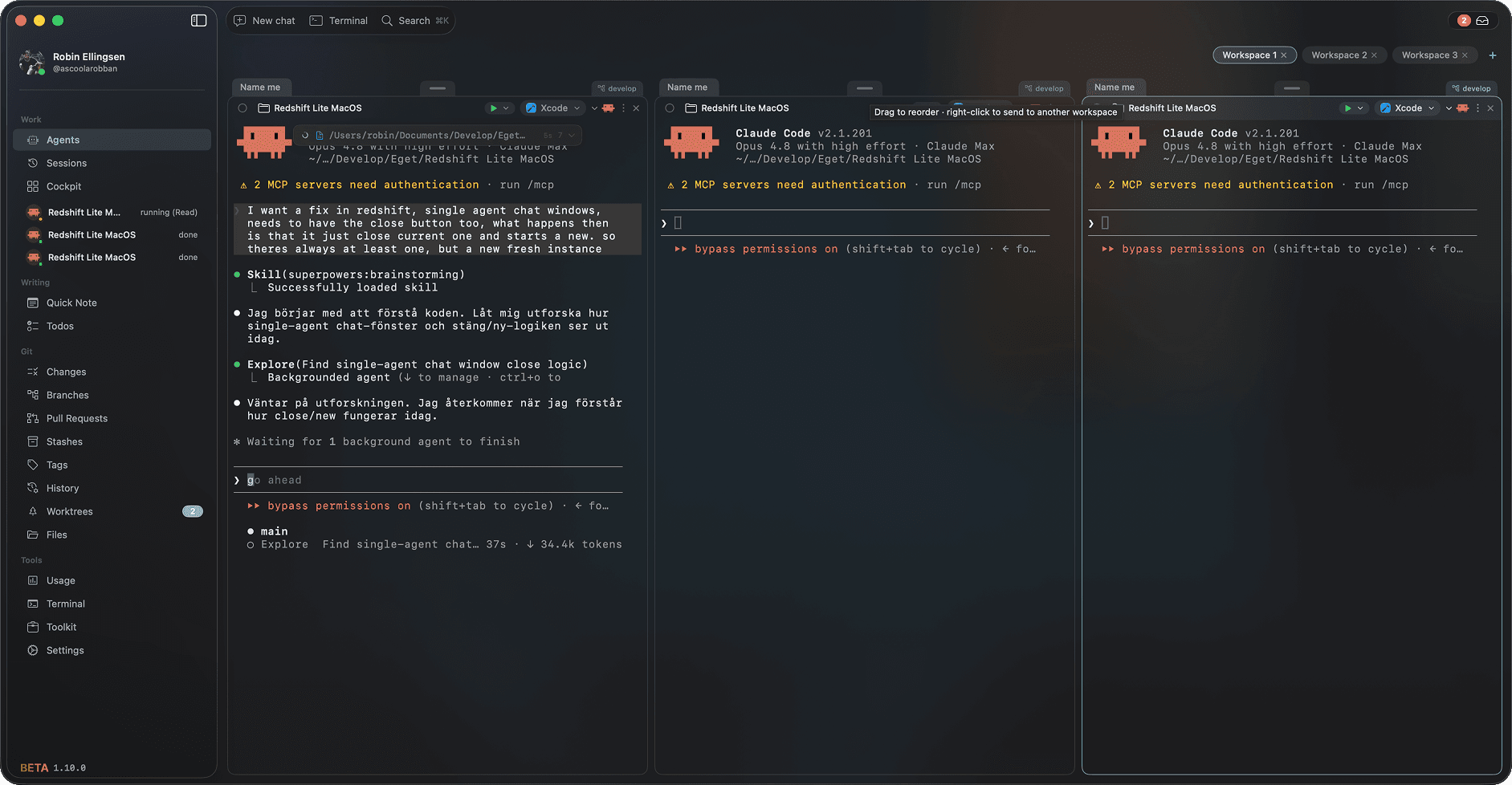
Run every agent at once
Spin up a whole team of coding agents across multiple workspaces and watch them work side by side in split panes. No tab-juggling, no lost context: the whole fleet is one glance away.
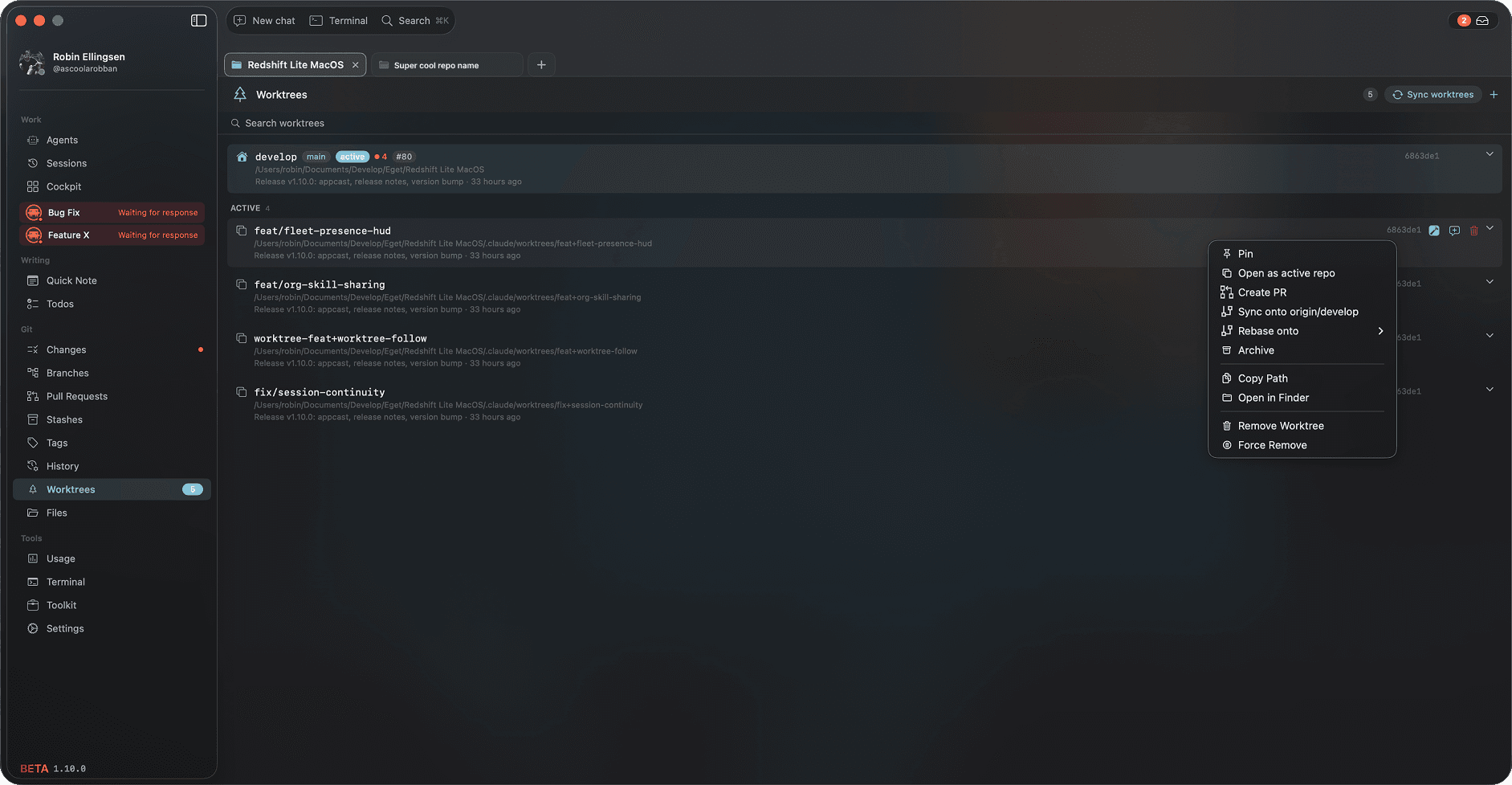
Worktrees, managed for you
Every agent works in its own isolated git worktree, created, synced onto your base branch and cleaned up for you. Parallel edits never collide, and you never touch the git plumbing.
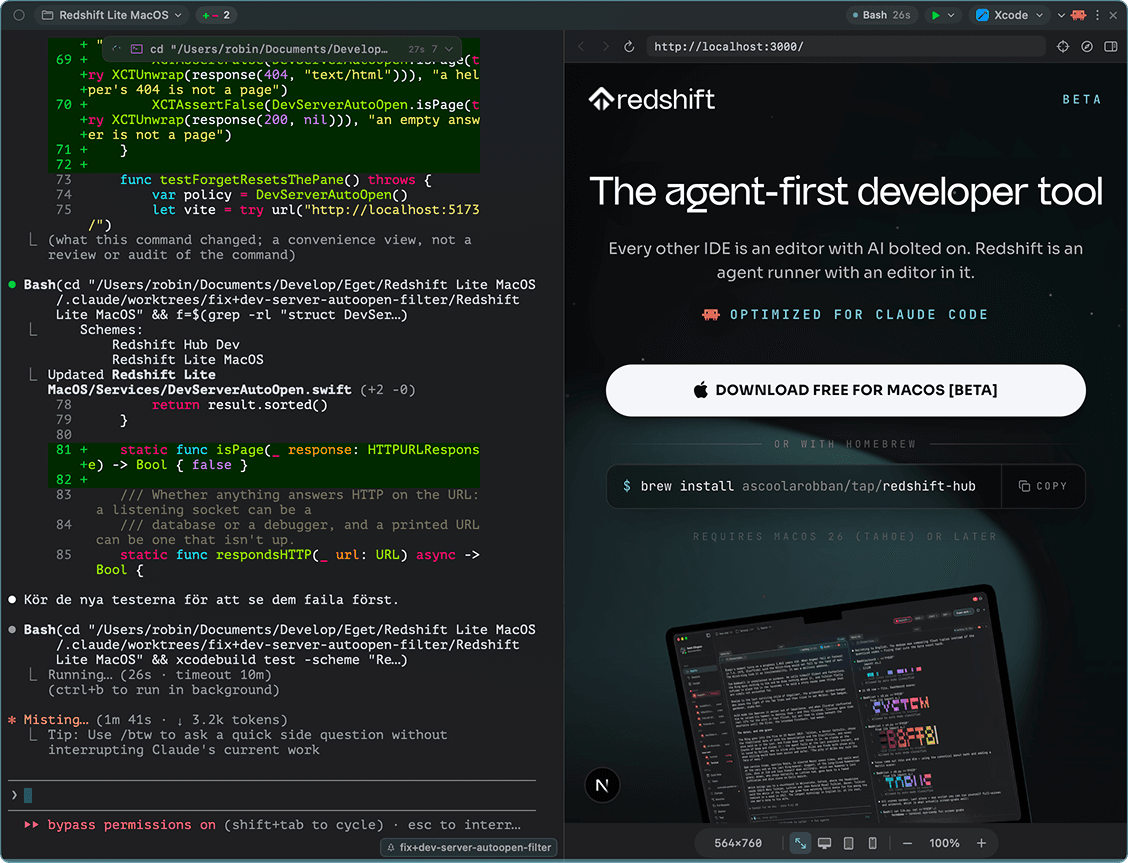
A browser beside the agent
When the agent starts a dev server, the page opens right next to its pane on its own. It drives the page and shows you where it is about to click, at desktop, tablet or mobile size. See something off? Click any element and it goes straight to the agent.
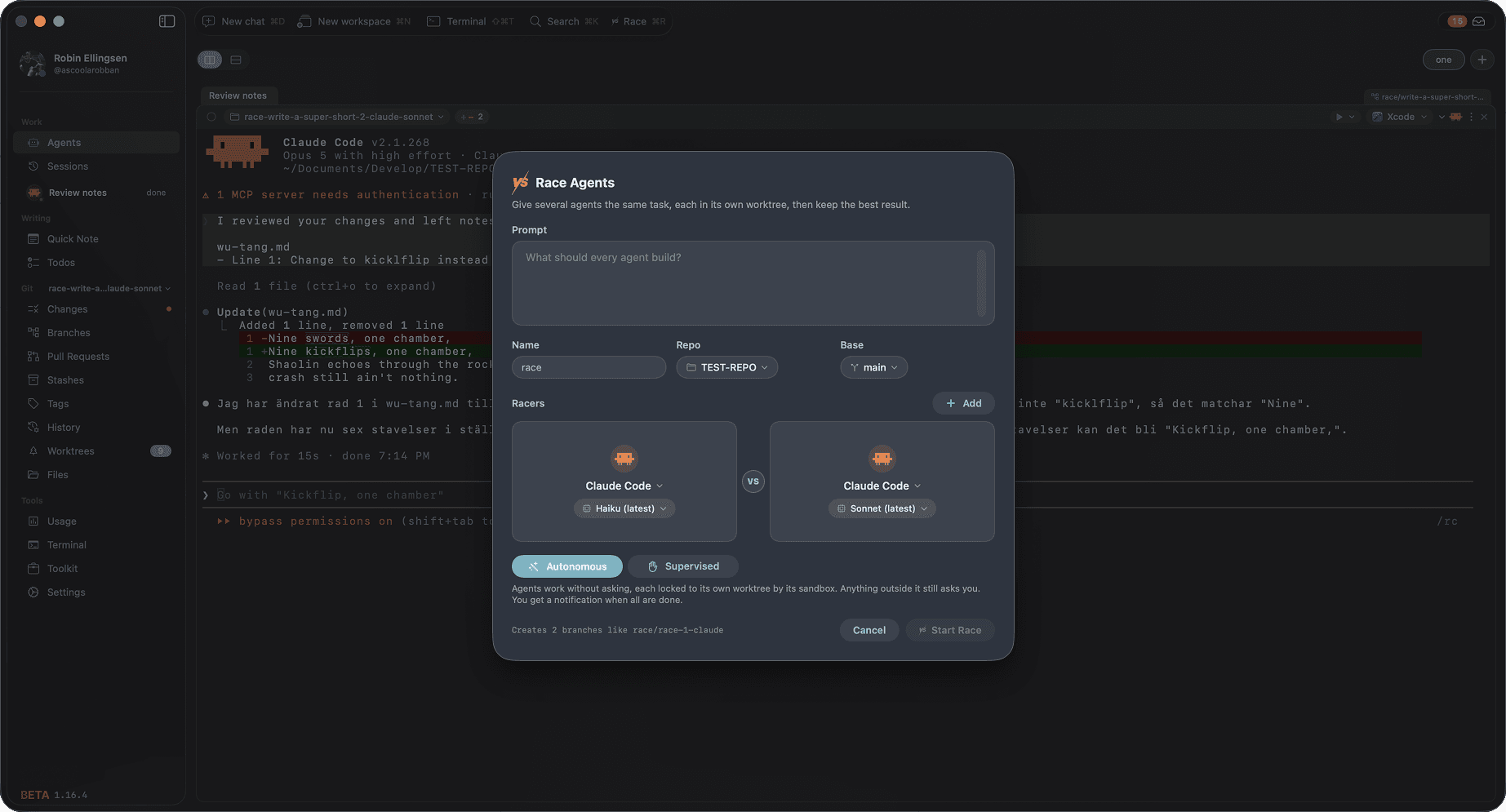
Race them, keep the best
Give the same prompt to several agents at once, each in its own worktree and on whichever model you pick. Compare what they built, keep the winner and open a pull request in one step.
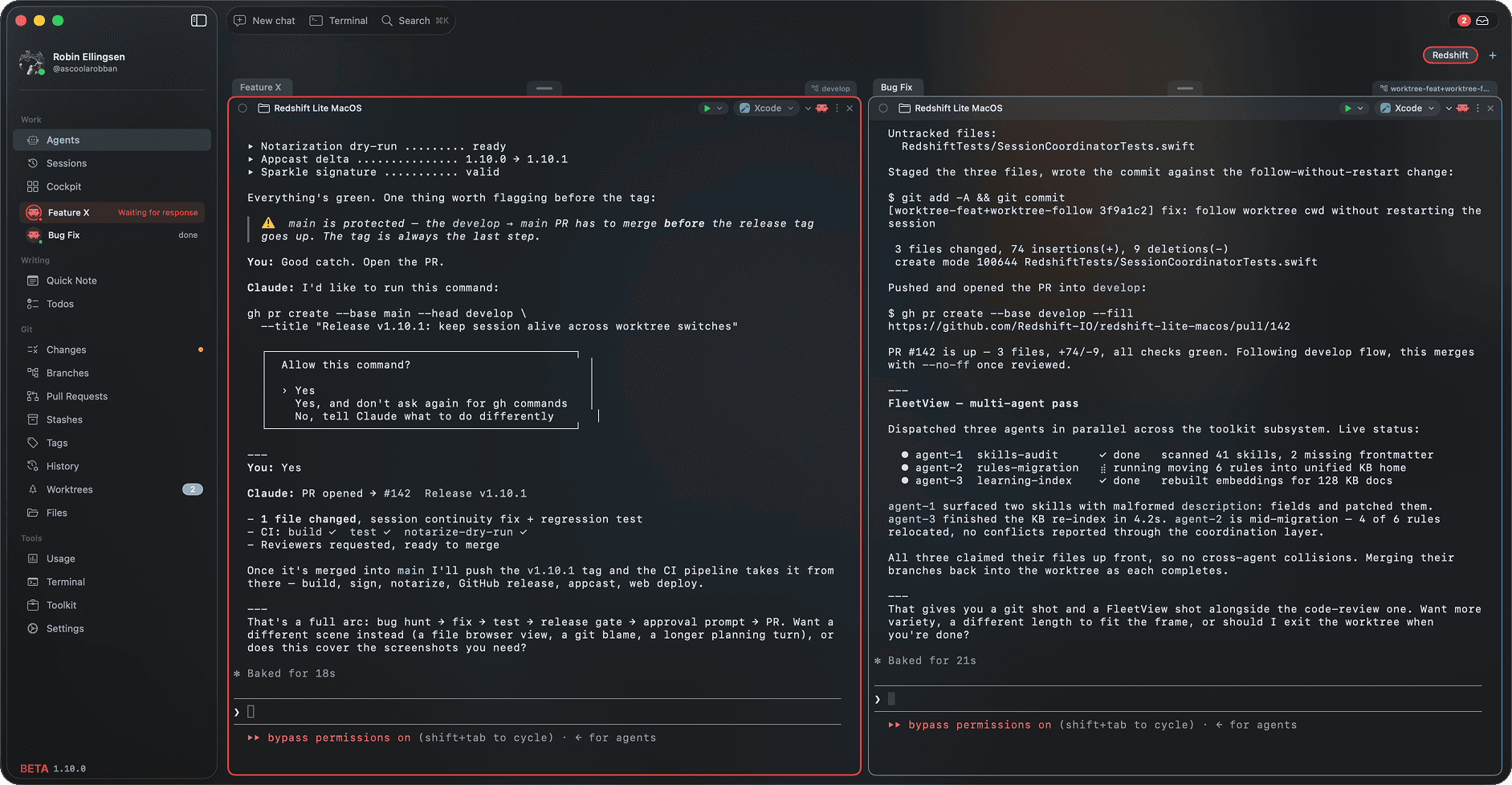
Know the moment one is done
Live status on every agent (running, waiting, finished) plus notifications that tell you exactly which agent needs you and where. Nothing stalls waiting for your eyes.
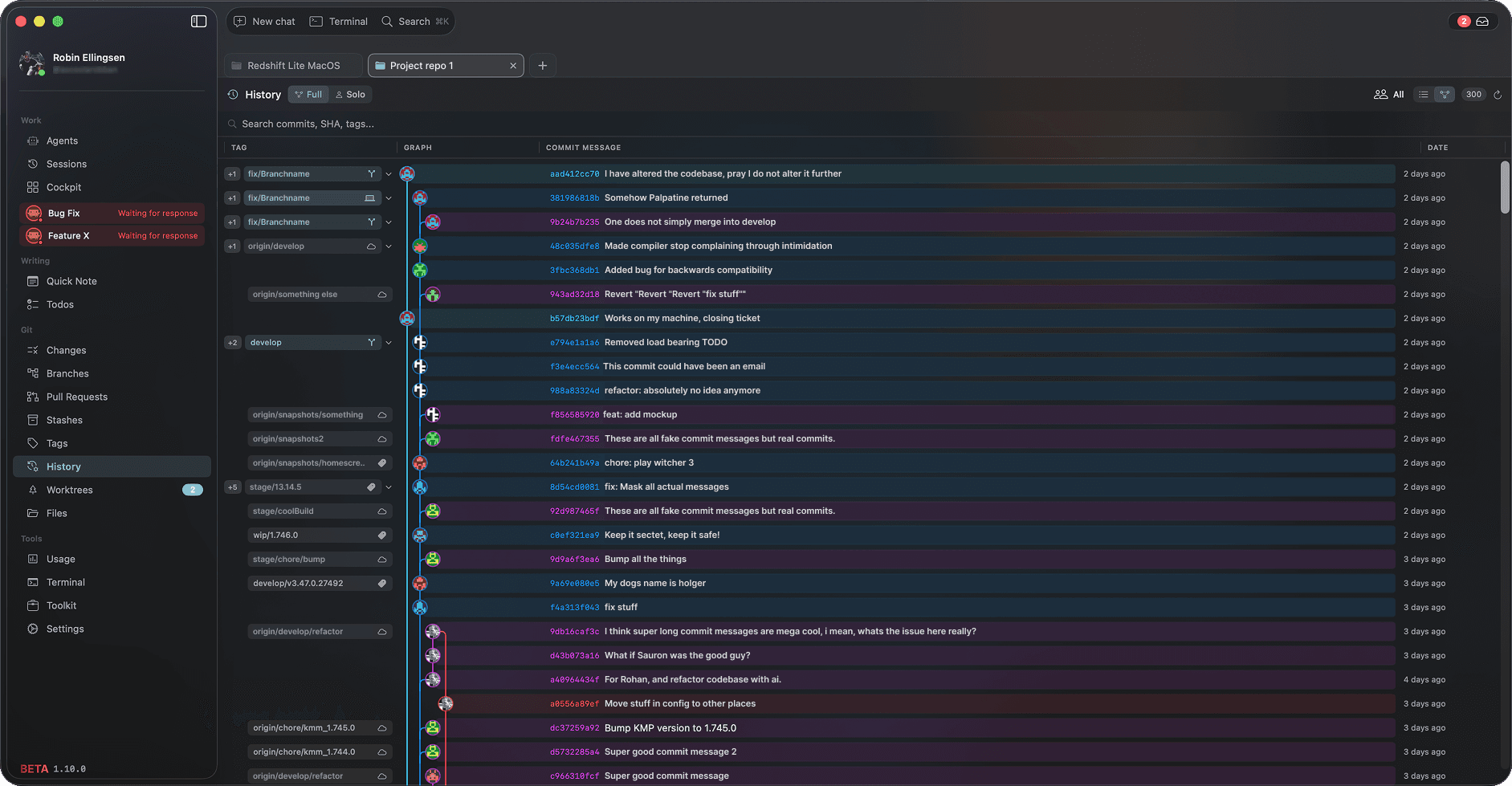
A super powerful git client, built in
Not just a diff view: a full commit graph, branches with ahead / behind counts, stashes, tags and pull requests. Review and ship without ever leaving the app.
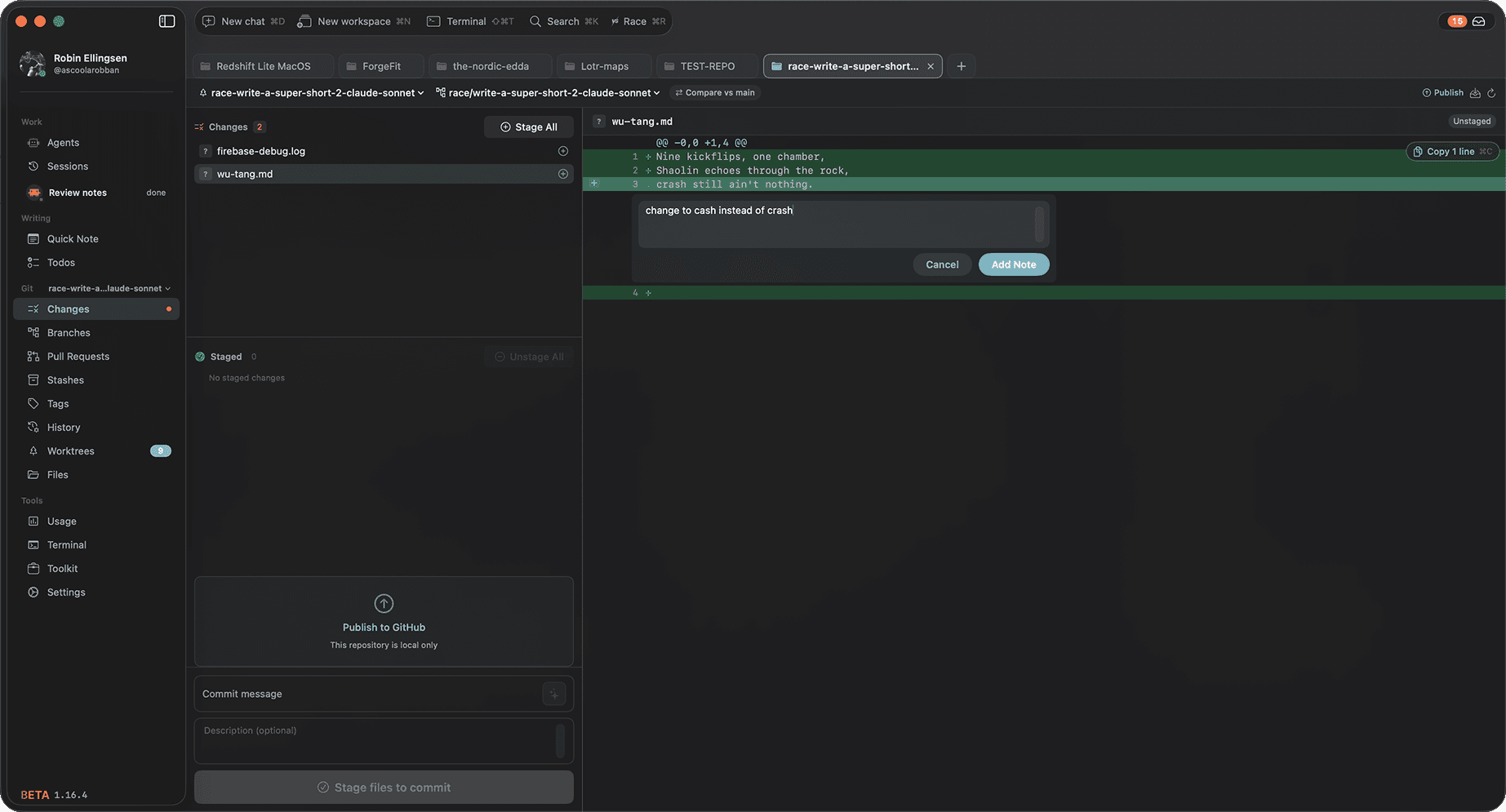
Leave a note, the agent fixes it
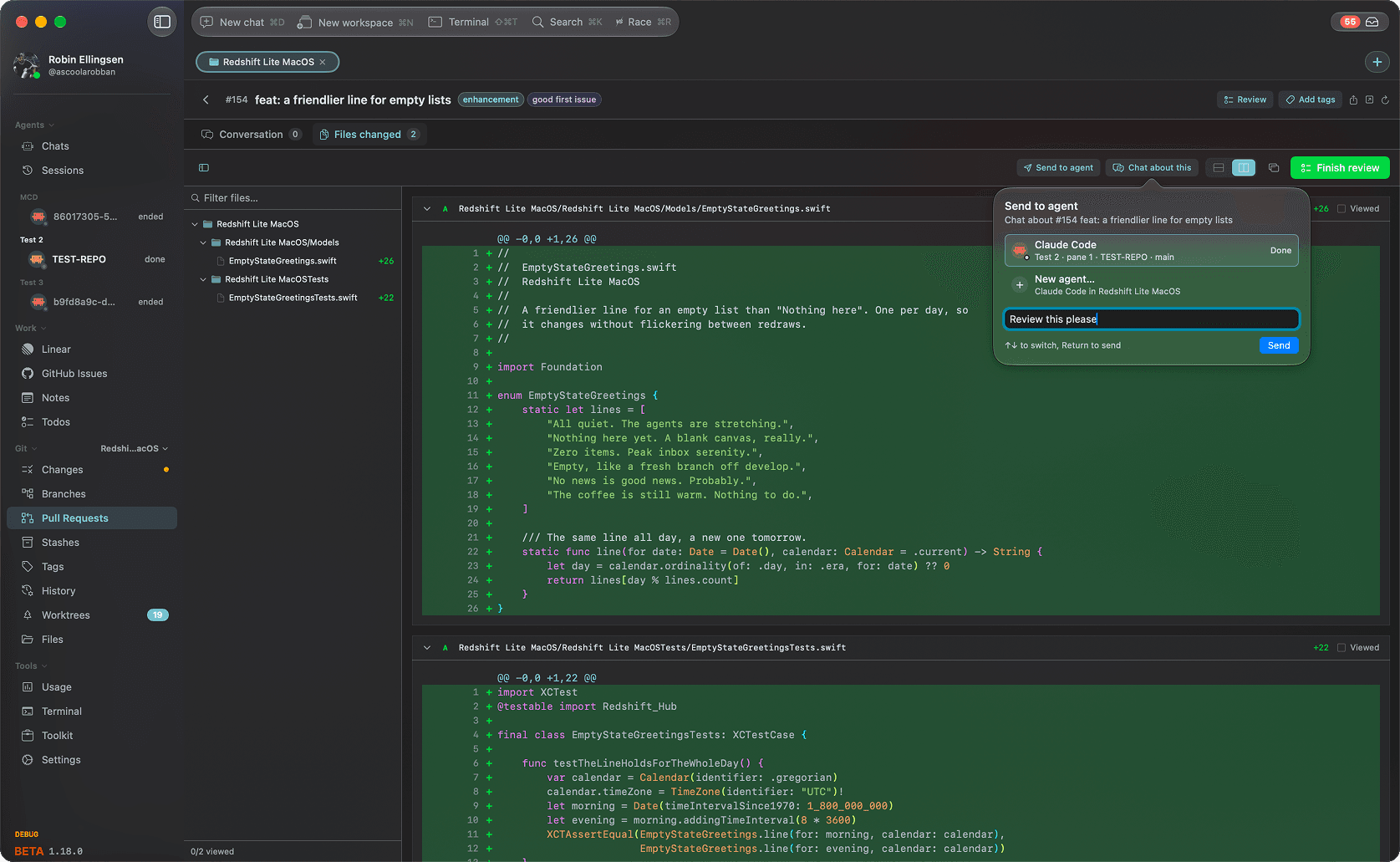
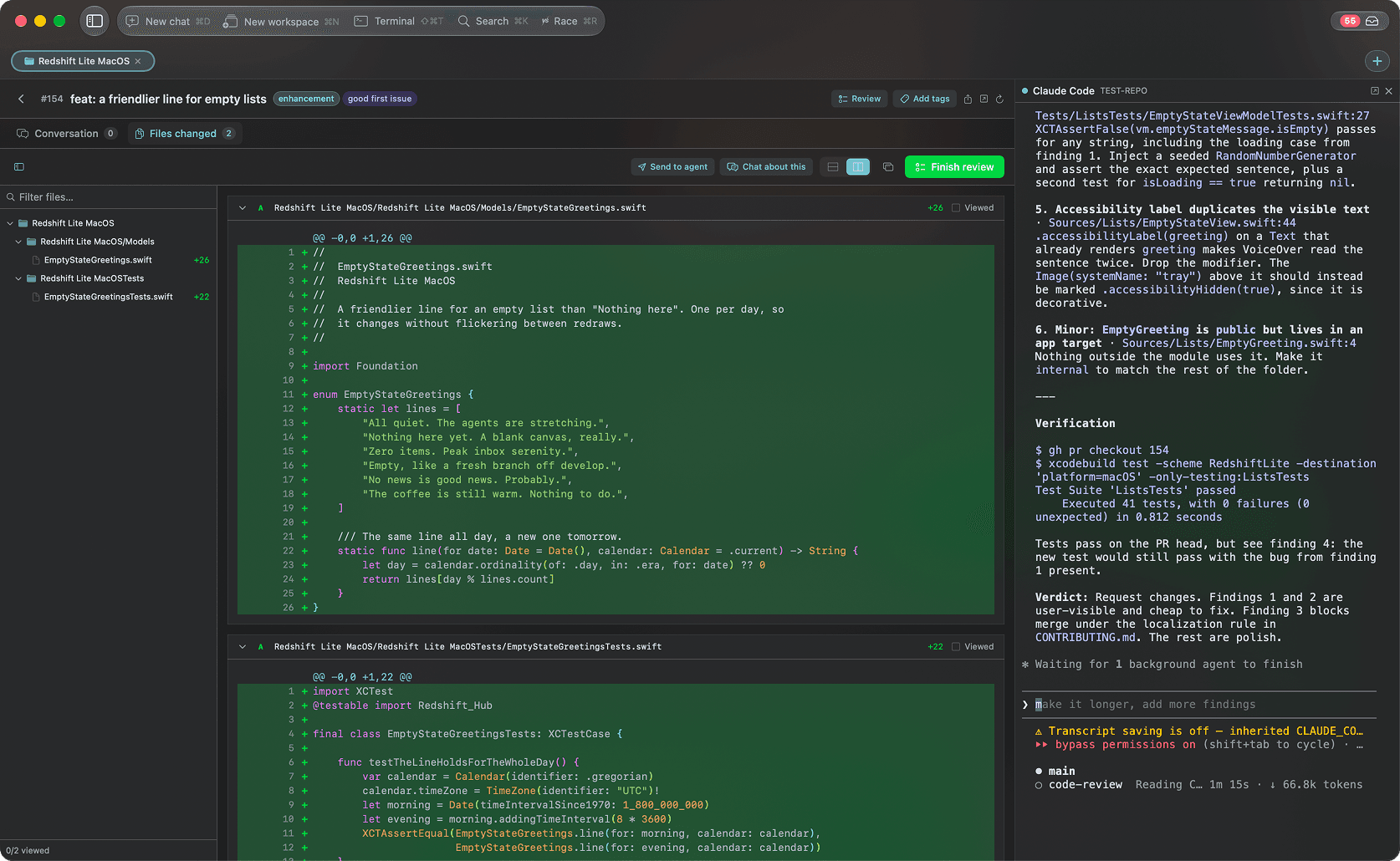
Review the diff like a pull request. Click a line, write what should change, and the notes go straight to an agent to fix. No copying lines into a prompt.
Talk to an agent inside the PR
Reviewing a pull request? Send it to an agent that is already running, or chat about it and a new agent opens right beside the diff with the PR as its context. Ask for a review, a fix or an explanation without leaving the PR.
Full Linear integration
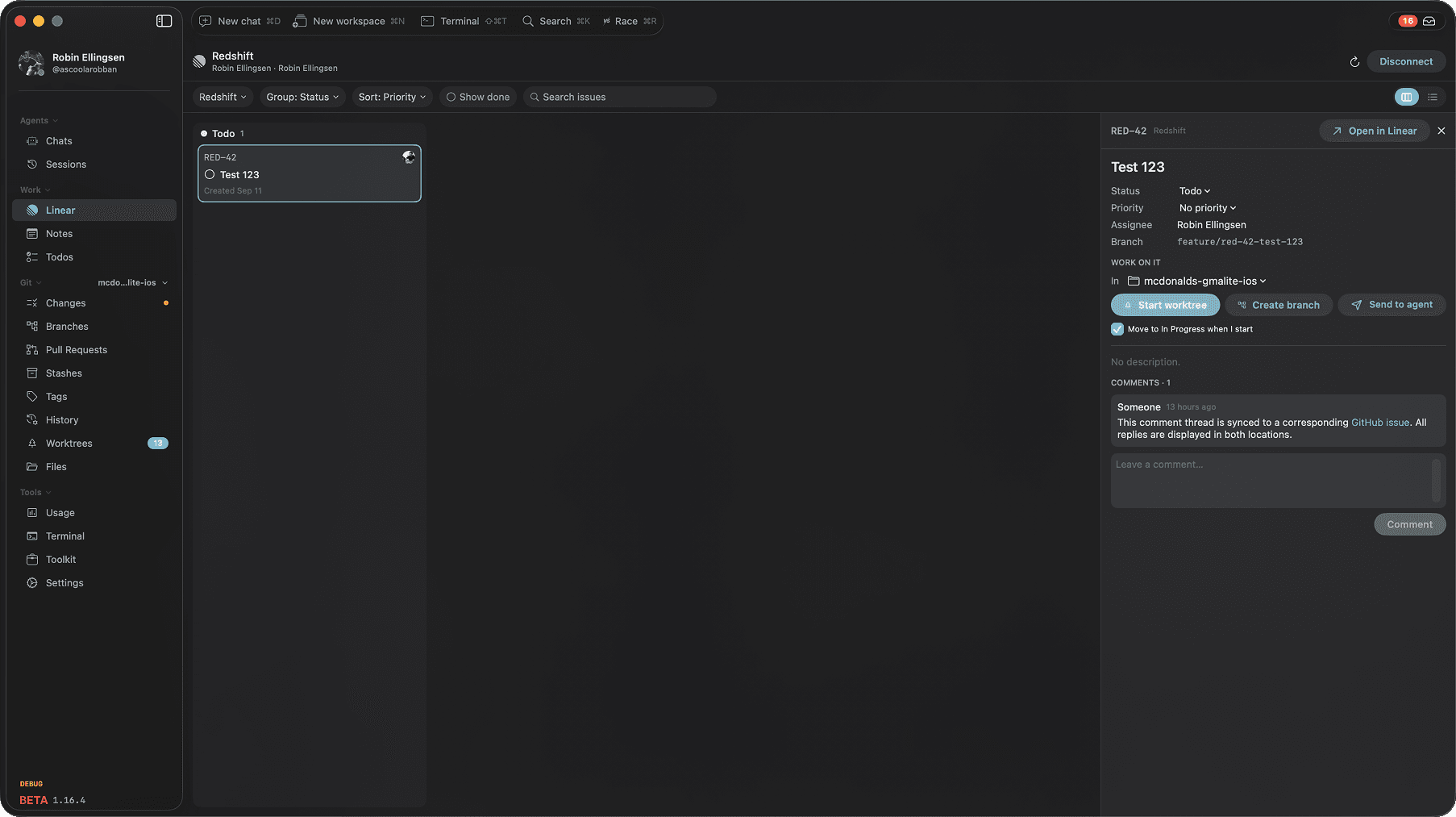
Connect Linear and the issues assigned to you sit next to your agents. Open one and start a worktree on its branch, or hand the whole ticket to an agent, without leaving the app. It moves to In Progress while you work.

GitHub Issues, built in
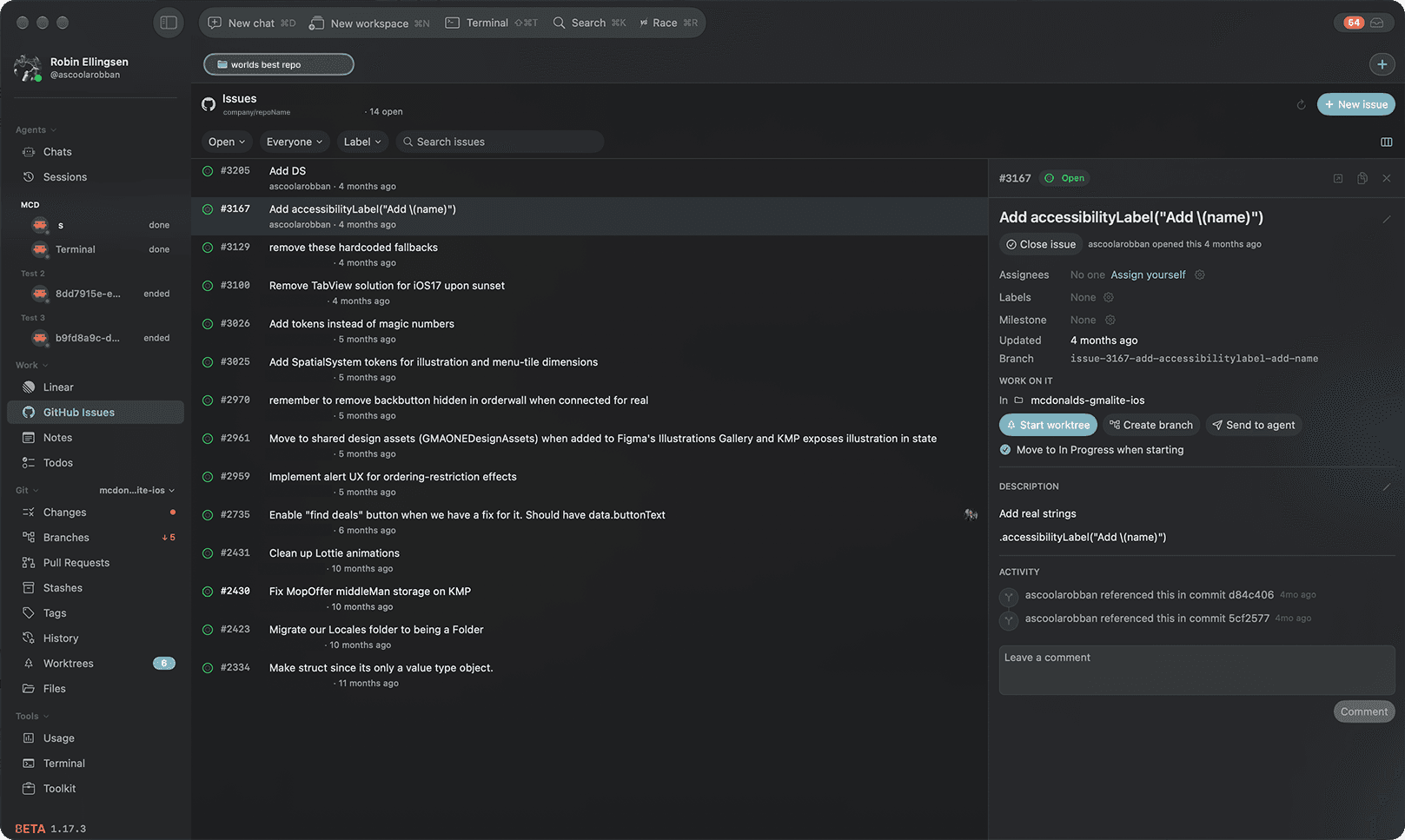
Every repo gets its own issues tab, right next to your agents. Comment, assign, label and close without opening a browser, or drag cards across your GitHub Project board. Start a worktree on an issue, or hand it to an agent.

And a lot more
Send it to an agent
Hand code from Files, lines from a diff, notes and PR review comments to the agent of your choice.
Language servers in Files
Hover, go to definition, references, errors, an outline and Rename Symbol, for Swift, TypeScript, Rust, Ruby, C and more.
Themes and fonts
Pick a theme from preview cards, Catppuccin included, and every surface follows it. JetBrains Mono, Fira Code and IBM Plex Mono come built in.
A model per pane
Pick the model for each pane on its own, and run /clear and /compact from the pane itself.
Simulator and emulator
Build and launch on a simulator or emulator from the pane the agent is working in.
Copy as One Line
Option-Command-C joins a command or reply the terminal wrapped, so it pastes as one line into a shell or Slack.
Command Palette
Shift-Command-P lists every command. Command-K searches everything, and typing > switches it to commands.
Any repo in Issues
Add any GitHub repository to Issues by name, and clone it from there when you want to work on it.
Optimized for Claude Code. Works with the rest.
Skills, subagents, plugins and MCP servers are first-class, and Codex, Gemini CLI, opencode and GitHub Copilot run in the very same worktrees, side by side.
 Claude Code
 Codex
Codex OpenCode
Redshift doesn't replace your editor. One click opens the agent's worktree in whatever you already use.
- VS Code
- Cursor
- Windsurf
- Zed
- Xcode
- IntelliJ IDEA
- WebStorm
- PyCharm
- Android Studio
- Sublime Text
- Nova
Questions&answers
Why not just…
Claude desktop
Why not just use the Claude desktop app?
It runs parallel sessions too, and for chatting with one agent at a time it's great. It stops at the chat, though. Redshift covers what happens around it: a ticket goes to an agent in its own worktree, you review the diff, comments go back to the agent that wrote the code, and you commit, all without leaving the app. You also get a notification when an agent needs you, and you can approve from it.
Your IDE
I run my code in my IDE anyway. Why do I need this?
Keep your IDE. Redshift doesn't replace it, it keeps track of everything your IDE can't: which agent is working in which worktree, who is waiting on you, and what changed. Every chat has a button that opens its worktree in your IDE, so running and debugging stays where it's always been.
A terminal notifier
Can't I just get terminal notifications from an open source tool?
You can, and for one agent it's enough. A notification tells you something happened. Redshift takes you to the agent, the diff and the worktree it came from, and lets you approve without going back to the terminal. With five agents across three projects, that's the difference between a ping and a place to act on it.
What is Redshift?
Redshift Hub is a native macOS app for running a fleet of Claude Code agents in parallel. Each agent gets its own git worktree, created and cleaned up for you, so parallel work never collides and you never juggle terminals. A full visual git client is built in: history, branches, stashes, tags, diffs and pull requests.
Do I need Claude Code CLI?
Yes. Redshift uses the Claude Code CLI under the hood. Install it with: npm install -g @anthropic-ai/claude-code
What are the system requirements?
macOS 26 (Tahoe) or later, on Apple Silicon. You also need Claude Code CLI installed and a Claude subscription.
Is it free?
Yes, Redshift is free. You need a Claude subscription (Pro, Team, or Enterprise) and be logged in to Claude Code.
How do multi-agent workflows work?
Split your workspace into multiple panels, each running its own Claude agent. Agents share memory so they stay in sync. You can assign roles (code, review, docs) and route tasks automatically.
How does self-learning work?
When you correct Claude or confirm an approach, Redshift captures it as a learning with a confidence score. These learnings are injected into future conversations automatically. Unused insights decay over time.
Where is my data stored?
Sessions and learnings are stored locally on your Mac. Your code never leaves your machine.
Is my code safe?
Yes. Redshift runs entirely on your machine, so your source code is never uploaded to our servers. AI conversations go directly between your Mac and Anthropic's API via Claude Code CLI. We have no access to your code, conversations, or API keys.
What about security and compliance?
We run no server that receives your code, so there is no copy of it for us to lose. Credentials live in the macOS Keychain and travel only to the vendor that issued them. Everything the app sends goes over TLS. We hold no third-party certification, and we would rather tell you that than hand you a page of badges. Our security page lists exactly what leaves your machine, how we build and release, what happens when something goes wrong, and what we do not have.
Why does macOS ask for access to my Documents or Apple Music?
macOS asks once per protected folder, and it names the app that owns the process making the request. Claude Code runs inside Redshift, so a prompt triggered by the CLI reading a file appears under Redshift's name rather than its own. Declining is safe: the agent then cannot read that folder, and nothing else in the app depends on it.
Do you comply with GDPR?
Yes. Redshift sends anonymous usage signals through TelemetryDeck, which stores data in the EU: app launches, which sections get used, and crash reports. No code, prompts, file contents, repository names or personal data are ever included, and there is no advertising or cross-site tracking. You can switch it off in Settings under Privacy, and an organisation can disable it on every machine with an MDM configuration profile.

Put the whole
fleet to work.
Redshift Hub runs your coding agents side by side, each in its own git worktree. Handle all your worktrees and stay in complete control. You see what every one of them is doing, review their changes in a real git client, and merge the best work without leaving the app.
$brew install redshift-io/tap/redshift-hub